
Key Takeaways
- Online booking is growing but has not replaced the phone: a 2025 study found 34.1% of U.S. respondents used a provider portal to schedule at least one appointment, while 72.1% still used phone calls.
- Book only through the practice's official website or patient portal, and choose the correct visit type so the care team can prepare for your appointment.
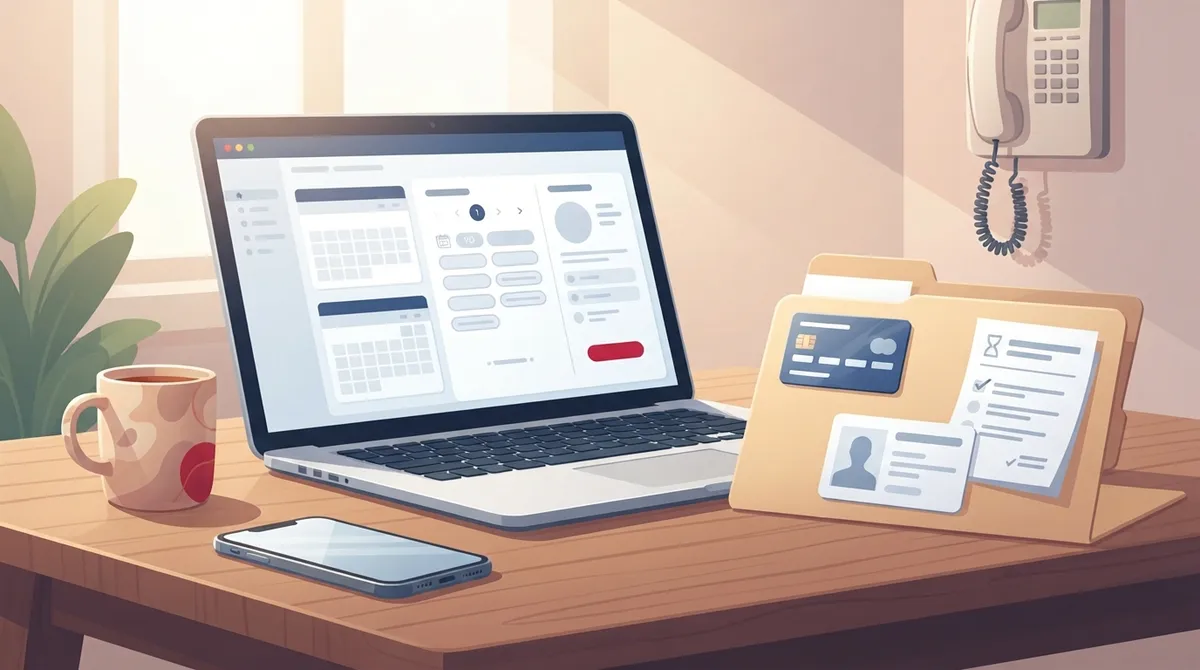
- Prepare insurance card, photo ID, medication list, health history, and reason for visit before booking to speed up check-in.
- Do not use online booking for urgent or serious symptoms like chest pain, trouble breathing, or stroke signs; call 911 or go to the emergency room instead.
Waiting on hold to schedule a checkup is a frustrating way to start a health journey. Today, many practices let patients pick a time from a phone or laptop in a few minutes. If you want to book doctor appointment online, the process is simple once you know what to expect.
Online booking is growing, but it has not replaced the phone. A 2025 study in Health Affairs Scholar found that 34.1% of U.S. respondents used a provider portal to schedule at least one appointment. Phone calls were still the most common method, used by 72.1%. Online booking works best as one convenient option among several.
This guide walks you through every step. You will learn how to prepare, what to choose, and how to avoid common mistakes. It is written for busy professionals, growing families, and anyone who prefers to manage health care on their own schedule. We focus on primary care and wellness, where regular visits make the biggest long-term difference.

Why Online Booking Works Well for Primary Care
Primary care is about ongoing relationships and prevention. Scheduling should be easy enough that you do not put it off. Online tools help in several ways.
- Convenience: You can book at night or on weekends, outside office hours.
- No hold music: You skip the wait on the phone line.
- Easy changes: Many systems let you reschedule, cancel, or get reminders.
- Visit options: Some practices offer both in-person and virtual visits.
There is also a continuity benefit. A study of 62,080 patients across 17 primary care sites found that patients who scheduled directly online were more likely to book with their own primary care provider. The study was observational, so it shows an association, not proof of cause. Still, seeing the same clinician over time helps build trust and better care.

Step-by-Step: How to Book a Doctor Appointment Online
Follow these six steps to book with confidence. The process is similar at most primary care practices.
- Choose the right practice. Look for a clinic that offers the services you need, accepts your insurance, and has a convenient location.
- Find the official scheduling page. Use the clinic's own website or patient portal. This keeps your information secure.
- Select your visit type. Pick from options such as a new patient visit, annual wellness exam, sick visit, or virtual visit.
- Pick a clinician and location. Choose a provider and the office closest to you.
- Choose a date and time. Select from the open slots shown.
- Confirm your details. Enter your contact and insurance information, then watch for a confirmation message.
Some practices confirm your time right away. Others treat your choice as a request and confirm after a staff member reviews it. Check your email or text for the final confirmation.
Step 1 in Detail: Choosing the Right Practice
Not every clinic offers the same level of service. Before you book, think about what you want from your care.
A modern primary care clinic does more than treat colds. It can manage chronic conditions, run preventive screenings, and support your long-term wellness goals. At InCare primary care, patients receive comprehensive care with a focus on prevention and whole-body health. The clinic serves Tampa and Riverview, Florida, and offers virtual visits for added flexibility.
If you are new to the area, our guide on finding doctors accepting new patients can help you narrow your options.
Questions to Ask Before You Book
- Does the practice accept my insurance plan?
- Are new patient appointments available?
- Does it offer same-day or urgent visits?
- Can I choose my own doctor?
- Are virtual visits available?
What to Know About Visit Types
Picking the correct visit type saves time for you and the care team. The table below shows common options and when to use them.
|
Visit Type |
Best For |
Typical Format |
|---|---|---|
|
New Patient Visit |
Establishing care and reviewing health history |
In person |
|
Annual Wellness Exam |
Prevention, screenings, and health planning |
In person |
|
Sick Visit |
Cold, flu, infections, or new symptoms |
In person or virtual |
|
Follow-Up Visit |
Managing chronic conditions or reviewing results |
In person or virtual |
|
Urgent Care Visit |
Minor injuries and same-day concerns |
In person |
If you are not sure what to expect at a first visit, read our overview of a new patient appointment. For preventive care, see what happens during an annual wellness visit.
How to Prepare Before You Click Book
A few minutes of preparation makes online booking faster and your visit more useful. Gather the following items first.
- Insurance card: Have your member ID and group number ready.
- Photo ID: Many practices ask for it at check-in.
- Medication list: Include doses and supplements.
- Health history: Note past surgeries, allergies, and family conditions.
- Reason for visit: Write down your main concern and any symptoms.
Submit any forms the practice requests ahead of time. This shortens check-in and gives your clinician more time to focus on you. If you take several prescriptions, these prescription management tips can help you stay organized.
When Online Booking Is Not the Right Choice
Online booking is a helpful tool, but it is not a substitute for clinical judgment. Practices may limit self-scheduling to certain visit types. Complex, urgent, or possibly serious symptoms often need a phone call or immediate care.
Call 911 or go to the nearest emergency room for any of the following:
- Chest pain or pressure
- Trouble breathing
- Signs of stroke, such as face drooping or slurred speech
- Severe bleeding or major injury
For problems that are urgent but not life-threatening, such as a sprain, fever, or infection, an urgent care visit may be the right fit. Learn more about what urgent care services can treat. You can also explore same-day appointments when you need care fast.
Access, Privacy, and Safety Considerations
Keep Phone Options Available
A digital-only system can leave some people behind. Patients with limited internet access, language needs, or accessibility needs may prefer a call or an in-person visit. The best practices offer online, phone, and walk-in scheduling so every patient has a choice.
Protect Your Personal Information
Health information is sensitive. The U.S. Department of Health and Human Services has issued guidance reminding covered healthcare organizations to protect patient data collected through online tools. As a patient, you can take a few simple steps:
- Use the practice's official website or portal only.
- Avoid sharing detailed symptoms through unsecured email or social media.
- Use a strong, unique password for any patient portal.
- Log out after using a shared or public device.
You can follow InCare updates and wellness tips on Instagram, but always book and share medical details through the official scheduling page.
Booking With InCare in Tampa and Riverview
If you live in the Tampa Bay area, InCare makes scheduling simple. The clinic has locations in Tampa and Riverview, plus virtual appointments for added convenience. Patients can reach the care team by phone or use the online option to book an appointment at a time that fits their day.
InCare combines state-of-the-art technology with personal attention. Beyond routine primary care, the clinic offers cancer screening, medical weight loss, and advanced wellness services. You can meet the physicians on the providers page before you choose.
Patient feedback reflects this approach. InCare holds a 4.8 out of 5 rating on Google across 359 reviews, with patients often praising the friendly staff and quality of care. You can see what InCare patients say on Google and decide if the clinic is the right fit for you and your family. To plan a visit, check the locations page for addresses and details.
Tips for a Smooth Online Booking Experience
- Book early for routine care. Annual exams and screenings fill up quickly, so schedule weeks ahead.
- Check your confirmation. Look for an email or text and add the visit to your calendar.
- Set reminders. Many portals send alerts so you do not miss the visit.
- Arrive early. Plan for 10 to 15 minutes to complete check-in, especially for a first visit.
- Update your information. Tell the office about any insurance or contact changes.
If you are still deciding which clinic fits you best, these signs you have found the right primary care practice offer a helpful checklist.
Making Online Booking Part of Your Wellness Routine
The real value of easy scheduling is consistency. When booking takes only a few minutes, you are more likely to keep up with checkups, screenings, and follow-ups. Over time, that habit helps catch problems early and supports healthier living.
Many people also use online tools to manage family health. Parents can schedule pediatric and adult visits in one sitting. Busy professionals can book a lunch-hour virtual visit. Preventive-minded patients can plan screenings and wellness testing with ease. Learn how preventive care works for your health and why regular visits matter.
Take the Next Step
Learning how to book a doctor appointment online takes only a few minutes, and it can save you hours of phone time. Choose a practice that fits your needs, prepare your information, pick the right visit type, and confirm your time. Keep phone and in-person options in mind for urgent or complex concerns.
Ready to get started? Book your appointment with InCare now and experience personalized primary care in Tampa or Riverview. Have questions first? Contact our team and we will help you find the right visit. You can also stay connected with InCare on Facebook and TikTok for health tips and clinic news.
FAQs
Q: How do I book a primary care doctor appointment online?
A: Visit the practice's official website or patient portal, select a visit type, choose a clinician and location, and pick an open time. Enter your contact and insurance details, then watch for a confirmation by email or text.
Q: Can I book a doctor appointment online without a patient portal account?
A: It depends on the practice. Some clinics offer a public scheduling page that does not require an account, while others ask you to create a portal login first. If you prefer not to sign up, you can usually call the office to schedule.
Q: Can I book a same-day or urgent appointment online?
A: Some practices show same-day openings online, but many limit online booking to routine visits. For urgent, complex, or possibly serious symptoms, call the office directly, and use emergency services for life-threatening problems.
Q: What information do I need to book a doctor appointment online?
A: Have your insurance card, photo ID, medication list, and a short note about your reason for the visit. Your practice may also ask you to submit health history forms ahead of time to speed up check-in.
Q: Is it safe to book a doctor appointment through an online portal?
A: It is generally safe when you use the practice's official website or portal. Avoid sharing sensitive health details through unsecured email or social media, and use a strong password for any patient account.