
Key Takeaways
- Access your Aetna member account at Aetna.com/about-us/login.html to check benefits, review claims, find in-network doctors, and pull up your digital ID card to avoid surprise costs.
- New members need their member ID (found on insurance card, welcome letter, or EOB) to register; keep your card nearby during registration to avoid typos that may prevent account creation.
- Use the provider search tool in your account to find primary care doctors by location and preferences like language, then confirm they accept new patients and your specific plan before booking.
- After signing in, review your preventive benefits, schedule wellness visits early, and track your deductible spending to catch health problems early when they are easier and less expensive to treat.
- Protect your account by using a long unique password, avoiding shared device logins, checking claims regularly for unrecognized charges, and never entering details on unofficial websites.
- If you cannot log in, check for typos, use password recovery links, clear your browser cache, update the app, or call Member Services on your ID card if problems persist.
Finding a trusted doctor starts with understanding your coverage. For millions of members, the first step is an Aetna sign in. Once you log in to your secure account, you can check benefits, review claims, pull up your ID card, and search for in-network primary care providers. These tools save time and help you avoid surprise costs.
This guide explains how the Aetna sign in process works, how to register for the first time, and what to do if you get locked out. It also shows how to use your account to choose a primary care physician (PCP), prepare for visits, and get more from your preventive benefits. If you are a busy parent, a young professional, or someone focused on long-term wellness, a few minutes in your member portal can make every appointment smoother.
Using your plan wisely is only half the story. The right clinic turns your coverage into real health results. We will cover both sides so you can move from sign in to better care with confidence.

What Is an Aetna Sign In and Who Needs One?
An Aetna sign in gives you access to Aetna's secure member website and the Aetna Health app. These tools let you manage your health plan in one place. Members use them to check coverage, view claims, track spending, and find doctors.
Aetna offers separate login routes for different users. The main sign-in page is found at Aetna.com/about-us/login.html. From there, you can choose the option that fits your role:
- Members: People who have an Aetna health plan.
- Providers: Doctors and clinics that work with Aetna.
- Employers: Businesses that offer Aetna plans to staff.
- Agents and brokers: Professionals who sell or manage plans.
If you have health coverage through Aetna, you want the member login. Plan types differ. Commercial, Medicare, Medicaid, and employer-sponsored plans may use different portals or offer different features. Always follow the login link that matches your specific plan.
How to Sign In to Your Aetna Member Account
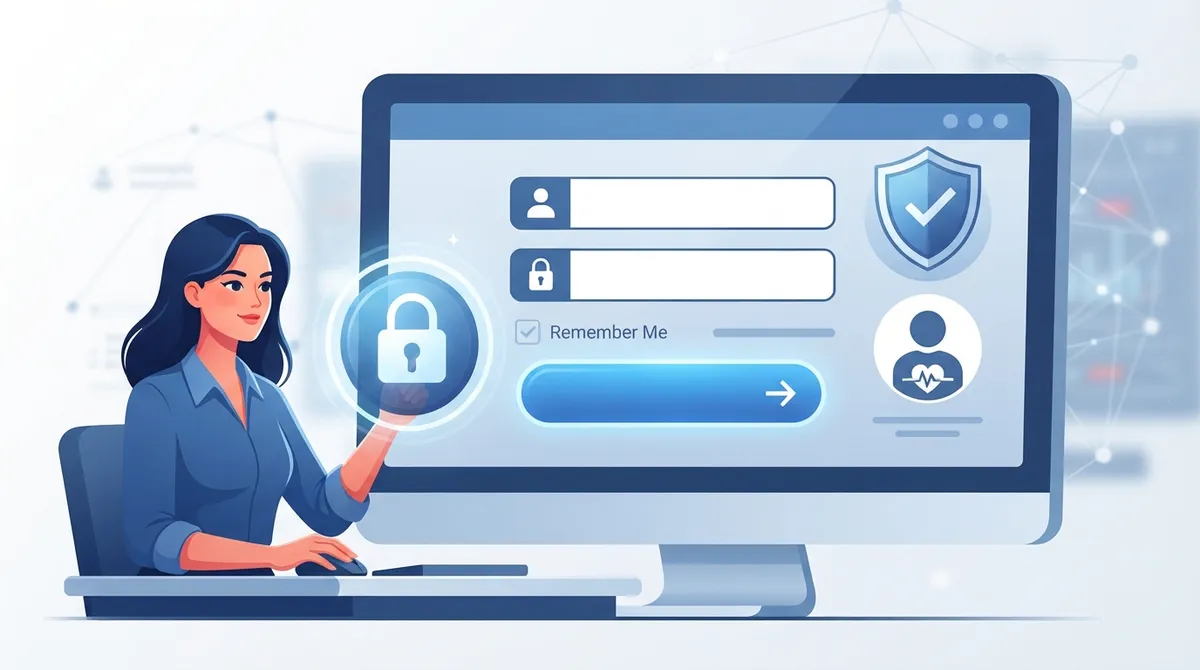
If you already have an account, signing in takes only a minute. Follow these steps:
- Go to the official Aetna login page and select the member login option.
- Enter your username and password.
- Complete any security step Aetna asks for, such as a verification code.
- Select your plan if you have more than one.
- Open your dashboard to view benefits, claims, and your ID card.
Use a private device and a secure internet connection when you sign in. Avoid public Wi-Fi when you view claims or personal health details. Log out when you finish, especially on a shared computer.
How to Register for the First Time
New members must create an account before they can sign in. Aetna says registration may require a member ID. You can find it on your insurance card, your welcome letter, or an Explanation of Benefits (EOB).
Here is a simple way to register:
- Visit the member section of Aetna's website.
- Select the register or create account option.
- Enter your member ID and personal details as they appear on your plan.
- Choose a username and a strong password.
- Confirm your email or phone number if prompted.
- Sign in and explore your dashboard.
Keep your insurance card nearby while you register. If the system cannot match your details, check for typos or call the number on your ID card for help.
What You Can Do After You Sign In
Your account is more than a place to see your ID card. It is a toolkit for managing your care. The table below shows common features and why they matter.
|
Feature |
What It Does |
Why It Helps |
|---|---|---|
|
Benefits and coverage |
Shows what your plan covers |
Helps you plan visits and screenings |
|
Claims |
Lets you review past and pending claims |
Helps you catch billing errors early |
|
Deductible tracking |
Shows how much you have spent |
Helps you budget for care |
|
ID card |
Lets you view or request your card |
Saves time at check-in |
|
Provider search |
Finds in-network doctors |
Keeps costs lower and care coordinated |
|
Prescription tools |
Searches coverage and pharmacies (plan dependent) |
Helps you estimate drug costs |
Available features vary by plan. Depending on your pharmacy benefits, the site may also offer cost estimates, pharmacy searches, wellness resources, and health coaching.
Using the Aetna Health App
The Aetna Health app puts many of these tools on your phone. You can carry a digital ID card, check benefits, search for providers, and view claims or spending. This is helpful when you are at the front desk and cannot find your plastic card.
For tech-savvy members, the app is a fast way to stay organized. You can check coverage before an appointment, look up a clinic while you are on the go, and keep your plan details within reach. Some features differ by plan, so check what your app shows after you log in.
How to Find a Primary Care Doctor Through Your Aetna Account
A strong relationship with a primary care physician is the base of good health. Your PCP handles checkups, manages ongoing conditions, orders screenings, and refers you to specialists when needed. Your Aetna account makes the search easier.
Aetna's provider search tools help you find primary care doctors by location and by preferences such as language. Try this approach:
- Sign in and open the provider search tool.
- Select primary care as the specialty.
- Enter your city or ZIP code.
- Filter by language, gender, or other preferences.
- Review the results and confirm that the doctor is in your plan's network.
- Call the office to confirm they accept new patients and your specific plan.
For more help, read how to find doctors accepting new patients near you or review common mistakes to avoid when choosing a primary care doctor.
Can You Change Your PCP Online?
Aetna advises members who want to change their PCP to use the member website to find a participating clinician. Then contact Member Services using the number on your ID card to make the change. Plan rules can differ, so confirm the steps for your coverage.
Why Your Primary Care Choice Matters
Your insurance portal tells you who is in your network. It does not tell you who will listen, explain, and plan care around your goals. That is where the clinic you choose makes the difference.
InCare is a personalized healthcare clinic that combines modern technology with medical expertise. The team offers primary care, urgent care, and advanced wellness services under one roof. With locations in Tampa and Riverview, Florida, plus virtual visits, InCare fits into busy schedules. Patients also praise the friendly staff and the quality of care, reflected in a 4.8 out of 5 rating on Google. You can read InCare reviews on Google to see what patients say.
Before you book, confirm that your plan covers the services you want. Coverage can differ by plan and by service, so use your Aetna account or call Member Services on your ID card. You can also contact InCare with questions about visits and billing.
How to Get the Most From Your Preventive Benefits
Many plans include preventive care. Signing in lets you see what your plan offers so you can use it. Preventive visits help catch problems early, when they are easier to treat.
Consider these steps to make your benefits work harder:
- Review your coverage: Check what your plan lists for annual exams and screenings.
- Schedule early: Book wellness visits before your calendar fills up.
- Bring your goals: Share questions about sleep, stress, weight, or family history.
- Ask about screenings: Talk with your doctor about which tests fit your age and risk.
- Track your spending: Watch your deductible so you can plan larger care needs.
To learn what to expect at a checkup, read what happens during an annual wellness visit and how to make preventive care work for your health. Services such as cancer screening can also be a smart part of a prevention plan. Coverage varies, so check your plan details first.
Planning Care for Busy Families and Young Adults
Different life stages bring different needs. Your account can support each one.
- Busy families: Use the portal to find a doctor who can see parents and children. Keep digital ID cards handy for every visit.
- Young professionals: Use the app to find clinics with flexible hours and virtual options.
- Women focused on prevention: Search for primary care providers who offer whole-body wellness visits, not only reproductive care.
- Wellness seekers: Ask your clinic about advanced options such as DNA gene testing or weight loss programs. Confirm which services your plan covers and which are self-pay.
Many wellness services are not covered by every plan. Ask for pricing and coverage details before you book so there are no surprises.
What to Do If You Cannot Log In
Login problems happen. Most have simple fixes. Try these steps in order:
- Check your username and password for typos.
- Use the forgot username or forgot password link.
- Clear your browser cache or try a different browser.
- Update the Aetna Health app to the latest version.
- Confirm you are using the portal that matches your plan type.
- Call Member Services using the number on your ID card.
Never share your password or verification codes with anyone. If you suspect someone else accessed your account, call Member Services right away.
Tips to Keep Your Account Secure
Your health information is private. Protect it with a few smart habits:
- Use a long, unique password.
- Turn on any extra security step the portal offers.
- Avoid saving your login on shared devices.
- Check your claims regularly for charges you do not recognize.
- Only enter your details on the official Aetna website or app.
These habits take little time and lower your risk of fraud.
Bringing It All Together
Your Aetna sign in is the doorway to your benefits. Once inside, you can confirm coverage, find a PCP, track spending, and keep your ID card close. The next step is choosing a clinic that treats you as a whole person, not just a claim number.
InCare blends primary care, urgent care, and modern wellness services with a personal touch. Whether you live in Tampa or Riverview, or prefer a virtual visit, the team is ready to help you build a plan that fits your life. Sign in to your member account, confirm your coverage, then book your appointment with InCare to take the next step toward better health. You can also follow InCare on Instagram, Facebook, and TikTok for health tips and updates.
FAQs
Q: How do I sign in to my Aetna member account?
A: Go to Aetna's official login page at Aetna.com/about-us/login.html and select the member login option. Enter your username and password, complete any security step, and open your dashboard. Use the portal that matches your specific plan type.
Q: What information do I need to register for an Aetna account?
A: You will typically need your member ID, which appears on your insurance card, welcome letter, or Explanation of Benefits (EOB). You will also enter personal details and create a username and password. Keep your card nearby to speed up the process.
Q: Can I find a primary care doctor after I sign in?
A: Yes. The provider search tools let you look up in-network primary care doctors by location and preferences such as language. Confirm with the office that the doctor accepts new patients and your plan before you book.
Q: Can I change my primary care physician online with Aetna?
A: Aetna advises members to use the member website to find a participating clinician. You then contact Member Services using the number on your ID card to make the change. Steps may vary by plan, so confirm the process for your coverage.
Q: What should I do if I cannot log in to my Aetna account?
A: Check for typos, use the forgot username or password option, and try a different browser or an updated app. Make sure you are using the portal for your plan type. If problems continue, call the Member Services number on your ID card.